
How it works
Inbound mail reaches KBG Secure Mail first. Clean mail is delivered to your mail server. Outbound mail can be inspected too. From Plesk, open quarantine and policy from the domain menu.
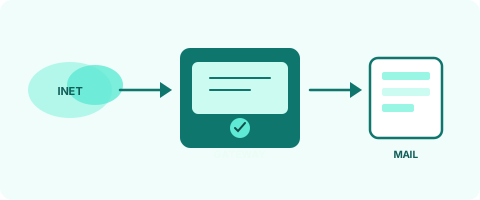
Send inbound mail to KBG Secure Mail
The domain MX must point at KBG Secure Mail. Lower the record lifetime before cutover. Identity-record details are settled during setup.
Create an account and add domains
Free signup starts on the Free plan. Add domains under Domains within your plan limit. Domains not on the list are not relayed.
Tune policy
In My policy, set quarantine thresholds, content filters and notices. Infrastructure stays with the administrator. Advanced protection is off on the free plan.
Inspect outbound mail too
Your mail server can send outbound mail through KBG Secure Mail. Sensitive data and unusual recipients show up on that path. The connection is set during setup.
Monitor, back up, intervene
Quarantine, archive, reports and Account quotas. On Starter+, archive ZIP backups to Google Drive / OneDrive; schedules need the server worker.
Sign in from Plesk
Install the extension. Paste the connection code into SG Settings for the domain. Panel sign-in opens quarantine and policy for that domain. Server connection and the license stay on the administrator screen.
See corporate protection for free
Create a free account, add your domain and send inbound mail through KBG Secure Mail. Cloud archive and advanced protection require a higher plan. For many Plesk domains, buy a 10, 20 or 50 license.